Planning a Trip
Starting the planner
From the dashboard, click Plan a Trip or navigate to /dashboard/plan.
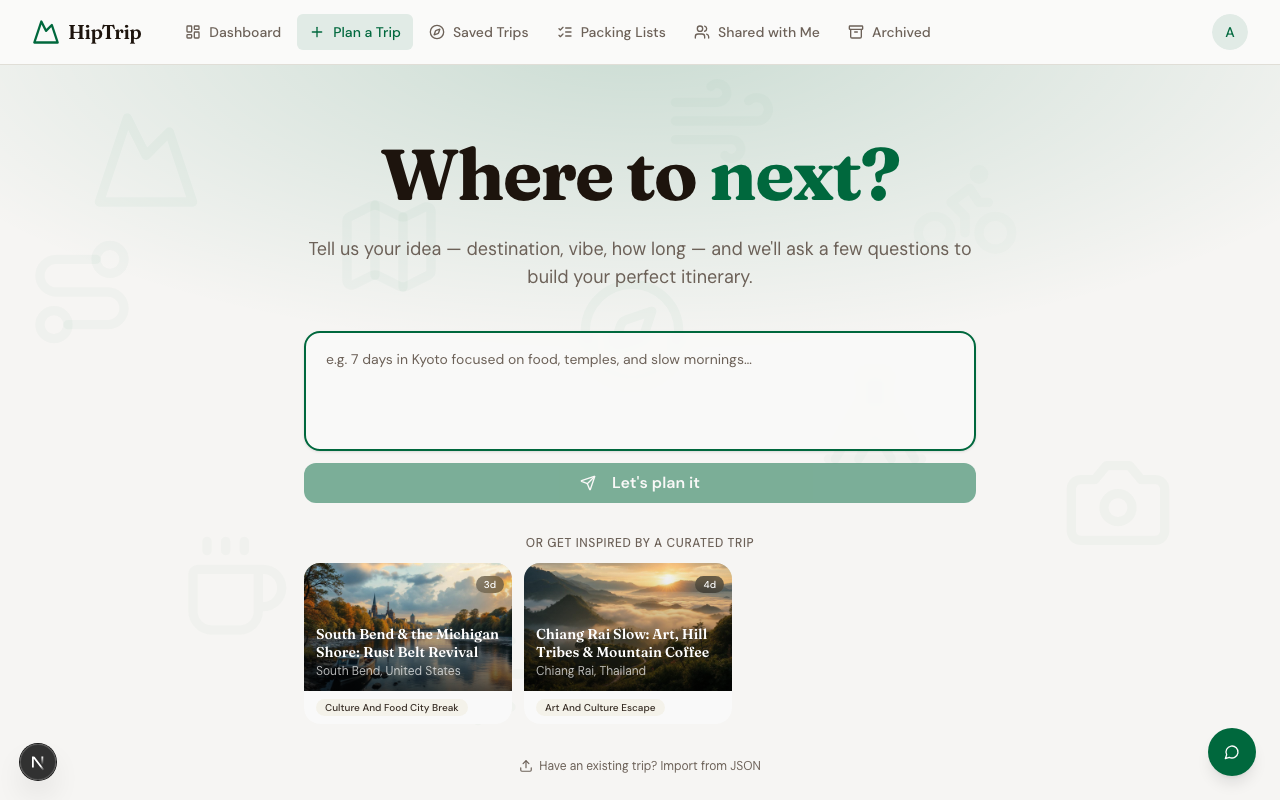
Describe your trip in plain language — the AI will ask a few follow-up questions, then build your itinerary.
How the conversation works
- Type your idea — e.g. "7 days hiking in the Scottish Highlands" or "Long weekend in Kyoto, mix of temples and good food"
- Click Let's plan it
- The AI asks a few clarifying questions — travel dates, experience level, preferences to avoid, group size, etc.
- Answer naturally in the reply box and press Send
- A progress bar shows how far along planning is. Once the AI has enough context it presents a trip plan card.
- On the card, click Build my trip to generate, or Adjust to keep refining. An Agentic builder (Beta) toggle lets you opt into an AI agent that builds each day and verifies every place on the map as it goes. It is more thorough but slower, and best for trips up to 8 days (longer trips use the standard builder automatically).
The more detail you include upfront, the fewer questions you'll be asked.
What gets generated
When the conversation finishes, HipTrip creates a full day-by-day itinerary including:
- A day-by-day activity plan with timing
- Place names and addresses (unlocked)
- Insider tips and local secrets (unlocked)
- Interactive maps (unlocked)
- A tailored packing list (unlocked)
- Budget estimate and best time to visit
Day 1 is visible immediately. Unlock the full itinerary to access all place details, maps, and tips.
Not ready to unlock?
On the locked itinerary page, scroll to the bottom of the paywall and choose Save a manual copy. This gives you a free editable version with the day structure and activity outlines — place names and tips not included. You can fill those in yourself.
Cover image
Each itinerary gets an AI-generated cover image automatically. You can regenerate it at any time from the itinerary detail page using the Regenerate cover button.
Starting fresh from a curated trip
On any Curated Trips page, click Plan Your Itinerary to open the planner with that trip's context already loaded. The AI will use the curated trip as inspiration for your personalized plan.