Trip Planner
The Trip Planner at /dashboard/plan is the main way to create a trip in HipTrip. Describe your trip in plain language and the AI asks follow-up questions to understand exactly what you want — then generates a full itinerary tailored to your answers.
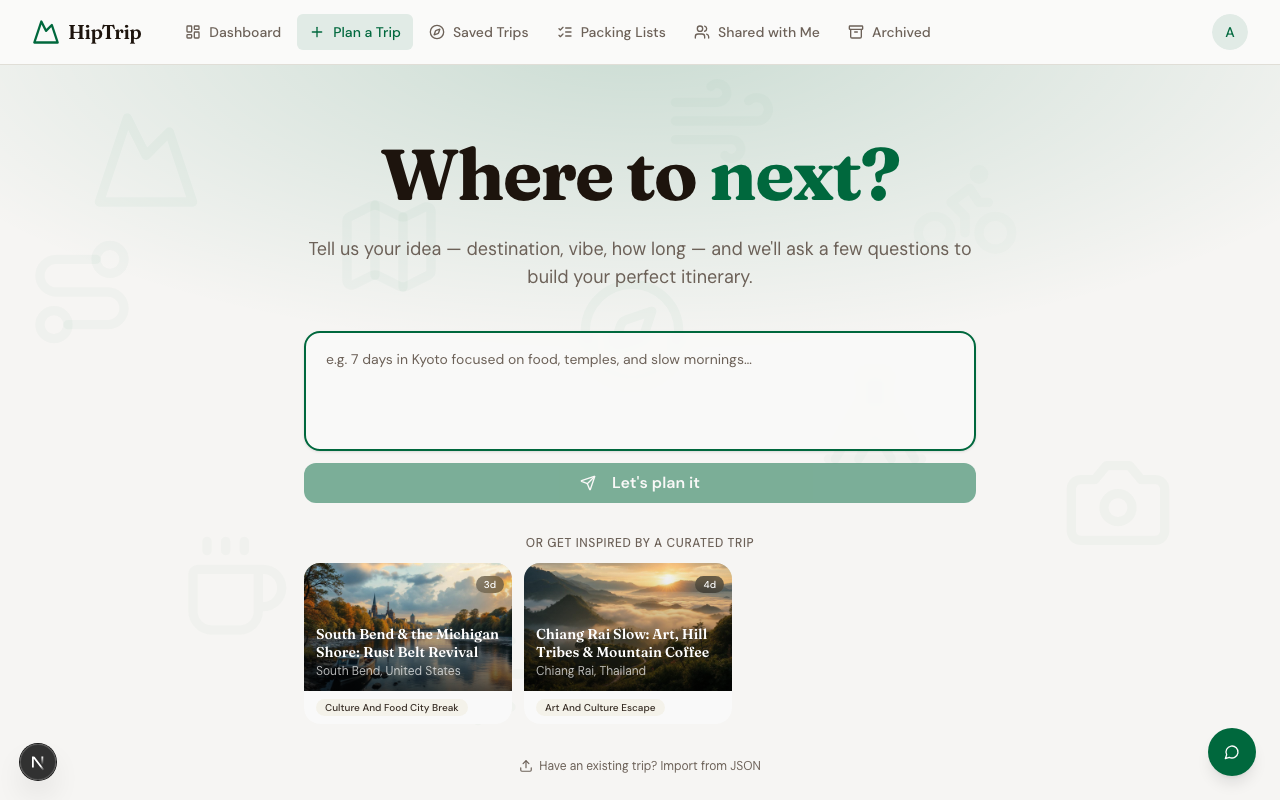
Starting a plan
- Go to Plan a Trip.
- In the text box, describe your trip in your own words. For example:
- "7 days hiking in the Scottish Highlands"
- "10-day biking trip through Vietnam, moderate difficulty"
- "Long weekend in Kyoto — mix of temples and good food"
- Click Let's plan it.
The more detail you give upfront, the fewer questions the AI will ask.
The conversation
After you submit, the hero prompt disappears and a chat thread opens. The AI will ask clarifying questions — one or two at a time — to fill in anything it needs to know:
- Travel dates or time of year
- Your experience level / fitness
- Must-have activities or things to avoid
- Group size or any special considerations
Answer each question naturally in the reply box, then press Send.
A progress bar at the top of the chat shows how far along the planning process is. When it reads "Getting to know your trip", the AI is still gathering information. Once it has enough to work with, it will begin generating.
Itinerary generation
When the AI has enough context, it shows a trip plan card summarizing your destination, duration, and vibe. Click Build my trip to start generating, or Adjust to keep refining in chat.
The card also has an Agentic builder (Beta) toggle. Leave it off for the standard builder. Turn it on to have an AI agent build each day and verify every place on the map as it goes. It is more thorough but slower, and works best for trips up to 8 days (longer trips fall back to the standard builder automatically).
When generation is complete, you'll be redirected to your new itinerary automatically. Day 1 is visible immediately; unlock it to see the full plan with place names, insider tips, and maps.
Not ready to unlock?
On the locked itinerary page, scroll below the pricing options and choose Save a manual copy. You'll get a free editable version with the day structure and activity outlines — you fill in the places yourself.