Viewing Your Itinerary
Locked vs. unlocked
All AI-generated itineraries start locked. A locked itinerary shows:
- The cover image and trip overview (destination, duration, difficulty, best season, budget range)
- Day 1 activities in full
- A count of how many more days, packing items, tips, and map pins are waiting
- A blurred preview of place names and activity details for subsequent days
To see everything, unlock the itinerary with one credit ($14.99) or a promo code.
Unlocked itinerary content
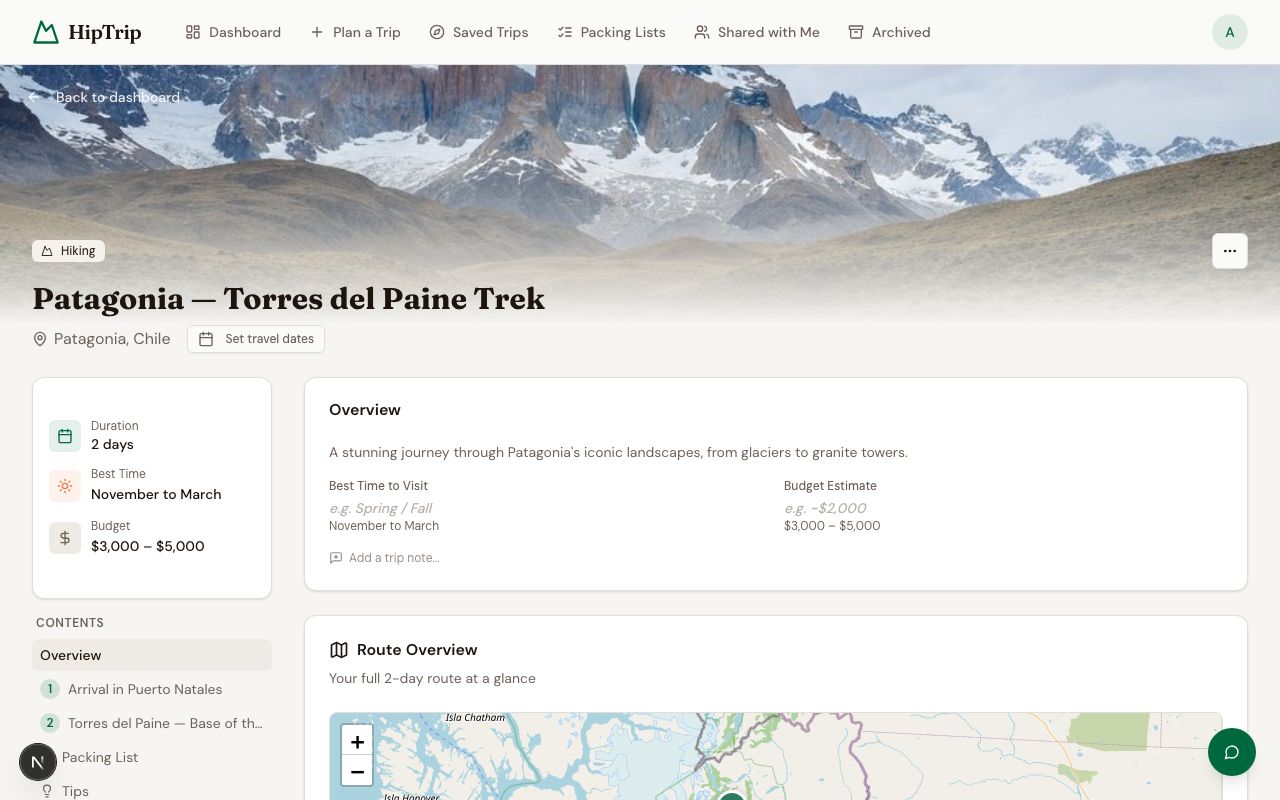
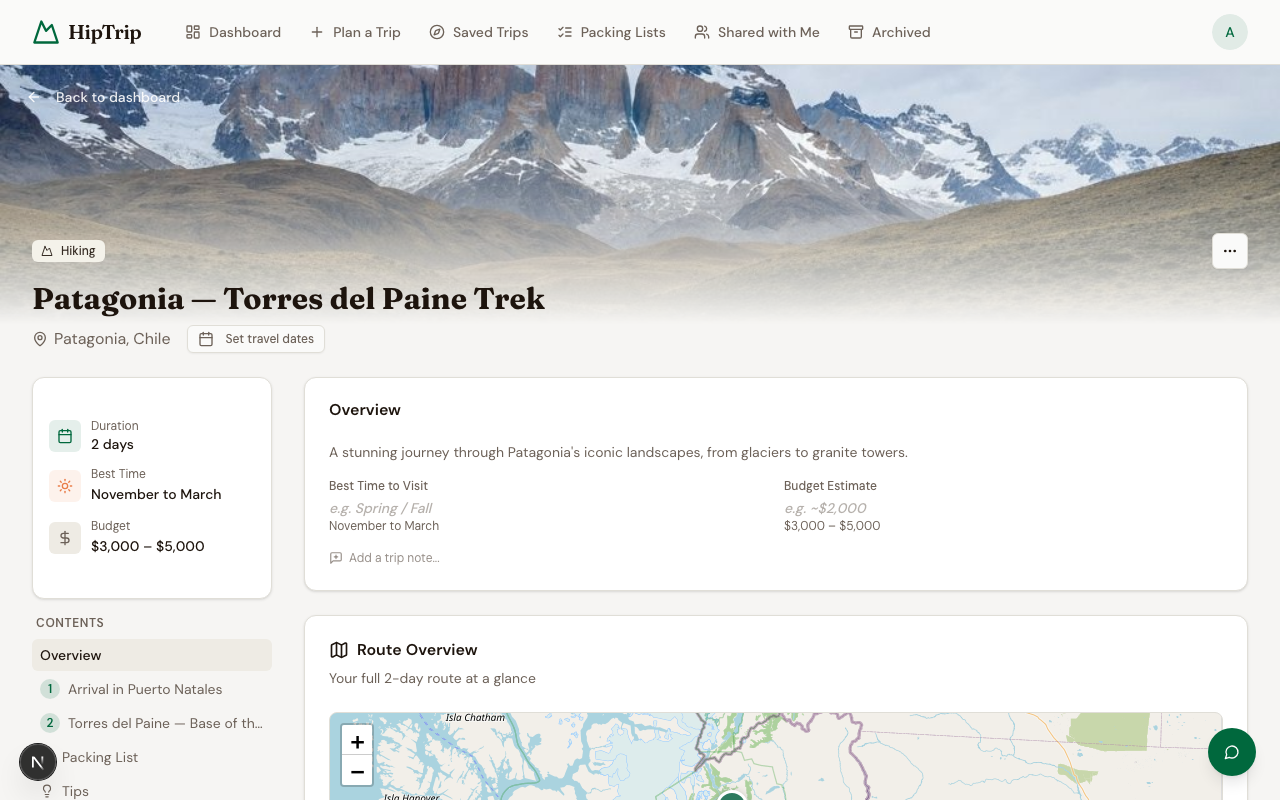
Once unlocked, you get the full plan. A cover image for your destination appears at the top of the page — automatically generated when the itinerary is created. You can regenerate it at any time using the Regenerate cover button in the top-right corner of the hero.
Day-by-day schedule
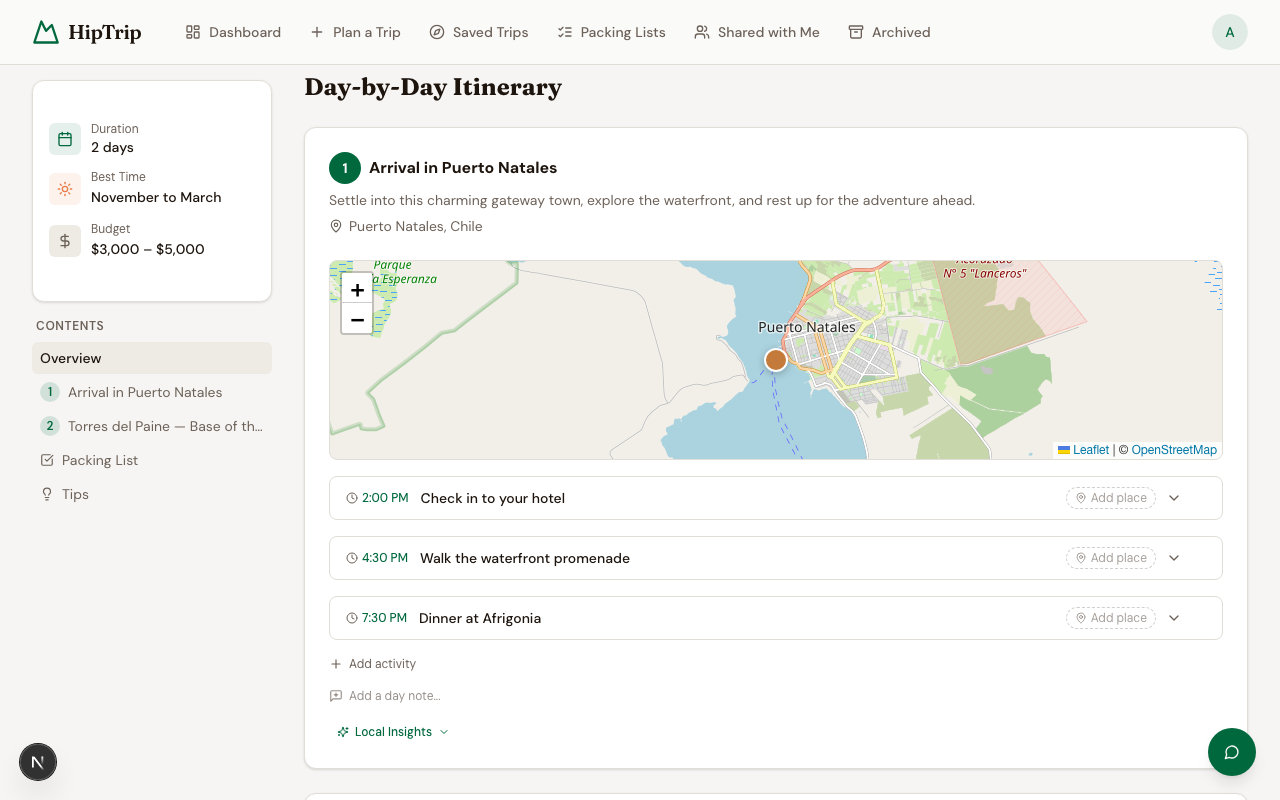
Each day is broken into morning, afternoon, and evening slots. For each activity you'll see:
- Activity name and description
- The specific place (with real name, address, and Google Maps link)
- Practical tips and insider notes
- A map pin you can click to see place details (rating, hours, photos)
Transfer segments (drives, flights, transit)
Long drives, flights, or transit rides between stops show up as their own transfer card instead of a generic activity — with a distinct, muted "connective tissue" style so it reads differently from a place stop. Each transfer card shows:
- An icon for the mode of travel (driving, transit, or walking)
- Duration and distance (e.g. "≈2h 15m · 145 mi"), or a graceful "duration unknown" note if Google couldn't compute a route
- An Open in Google Maps link with turn-by-turn directions between the two points
Origin, destination, and mode are editable — click the transfer to change them. Saving re-verifies both locations and recomputes the route; if that fails, the card keeps its previous working values and shows an inline error rather than losing your data.
Interactive map
The Map tab shows all activity locations plotted on an interactive map. Click any pin to see the place's details. If coordinates aren't available for a specific place, a note will appear instead of a pin.
Days that include a transfer also draw the actual road route as a solid, color-coded line on the day's map, with square pins marking the transfer's origin and destination — distinct from the round pins used for place stops.
Packing list
The Packing List tab shows a categorized checklist auto-generated for your trip. Check items off as you pack — your progress is saved. You can also view and manage this list from Packing Lists.
Budget estimate
A rough daily and total budget estimate for your destination and trip style. This is a planning guide, not a booking quote.
Tips & logistics
The Tips section covers practical advice: best time to visit, transportation notes, local customs, safety considerations, and anything else the AI flagged as important for your specific destination.
Accommodation suggestions
Neighborhood and lodging-style recommendations for each part of your trip.
Meal suggestions
Breakfast, lunch, and dinner recommendations (specific places or neighborhood-level guidance depending on destination data).
Editing an itinerary
You can edit the title and destination inline by clicking on them. Day-by-day content can also be edited — click any activity to modify it.
AI support chat
A chat bubble appears on the itinerary page. Use it to ask questions about your trip, request adjustments ("Can you replace Day 3 afternoon with something more relaxed?"), or get general travel advice. The assistant has full context of your itinerary.
Sharing
Use the Share button to invite travel partners. See Sharing Itineraries for details.
Exporting
Use the Export button to download your itinerary as a document you can print or save offline.
Offline access
Unlocked saved trips can be downloaded from the itinerary page with Download for offline. Once the status reads Available offline, that trip's overview, daily plan, activity details, notes, tips, and generated packing list remain readable after an offline reload in the installed iPhone app or another PWA-capable browser.
Offline copies are read-only. Editing, AI features, search, maps, sharing, exports, and other account or server actions require an internet connection. When HipTrip reconnects while the itinerary is open, it refreshes an existing downloaded copy from the server. Use Remove beside the offline status to delete the local copy from that device.
Downloaded trips are stored in the browser profile on the device. They may be cleared by the operating system or browser, and anyone with access to an unlocked shared device/browser profile may be able to read them. Verify Available offline before leaving connectivity.
When the dashboard cannot reach HipTrip, it switches to Offline mode and lists the trips downloaded on that device. Select a trip there to open its read-only copy. The normal dashboard returns after connectivity is restored and the page is reloaded. While online, use Offline trips beside Your Itineraries to review the same device-local list.