Sharing Itineraries
Sharing with a travel partner
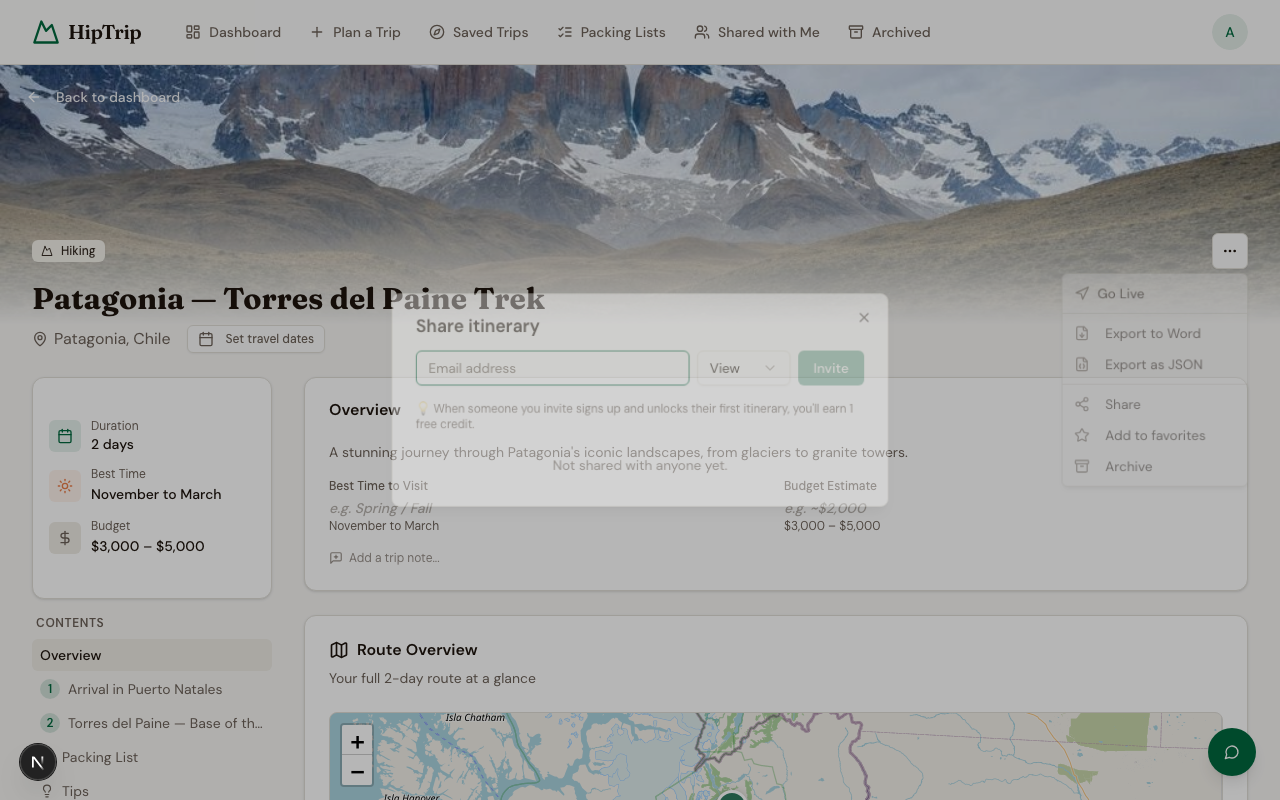
You can share any of your itineraries with other people, whether or not they have a HipTrip account.
- Open the itinerary you want to share.
- Click the Share button.
- Enter the email address of the person you're sharing with.
- Choose their permission level:
- View — They can read the itinerary but not make changes.
- Edit — They can modify the itinerary content.
- Click Share.
The person will receive an email invitation. If they don't have a HipTrip account yet, their access will be linked automatically when they sign up with that email address.
Managing shares
From the Share dialog on any itinerary, you can:
- See everyone the itinerary is shared with and their permission level
- Change a person's permission (view ↔ edit)
- Remove a share entirely
Itineraries shared with you
Itineraries others have shared with you appear at /dashboard/shared. You can view or edit them (depending on your permission) but you don't own them — only the owner can delete them or manage other shares.
Live mode (real-time co-editing)
When multiple people are viewing or editing an unlocked itinerary at the same time, HipTrip shows presence indicators — you can see who else is on the page and which section they're looking at. This makes it easy to collaborate without stepping on each other's edits.
Live mode activates automatically; no special setup required.
Unlock status and sharing
Sharing an itinerary does not unlock it for the recipient. Each person unlocks trips using their own credits. If you've already unlocked an itinerary and share it with someone, they'll need to unlock it themselves to see the full details.